Splitting submissions into groups
When grading long documents, splitting text into groups can make reading submissions and reviewing AI suggestions easier and faster.
Last updated About 1 year ago
Early feature ☝🏼
This feature is an early release and the quality of groups might vary depending on the submission structure and its format.
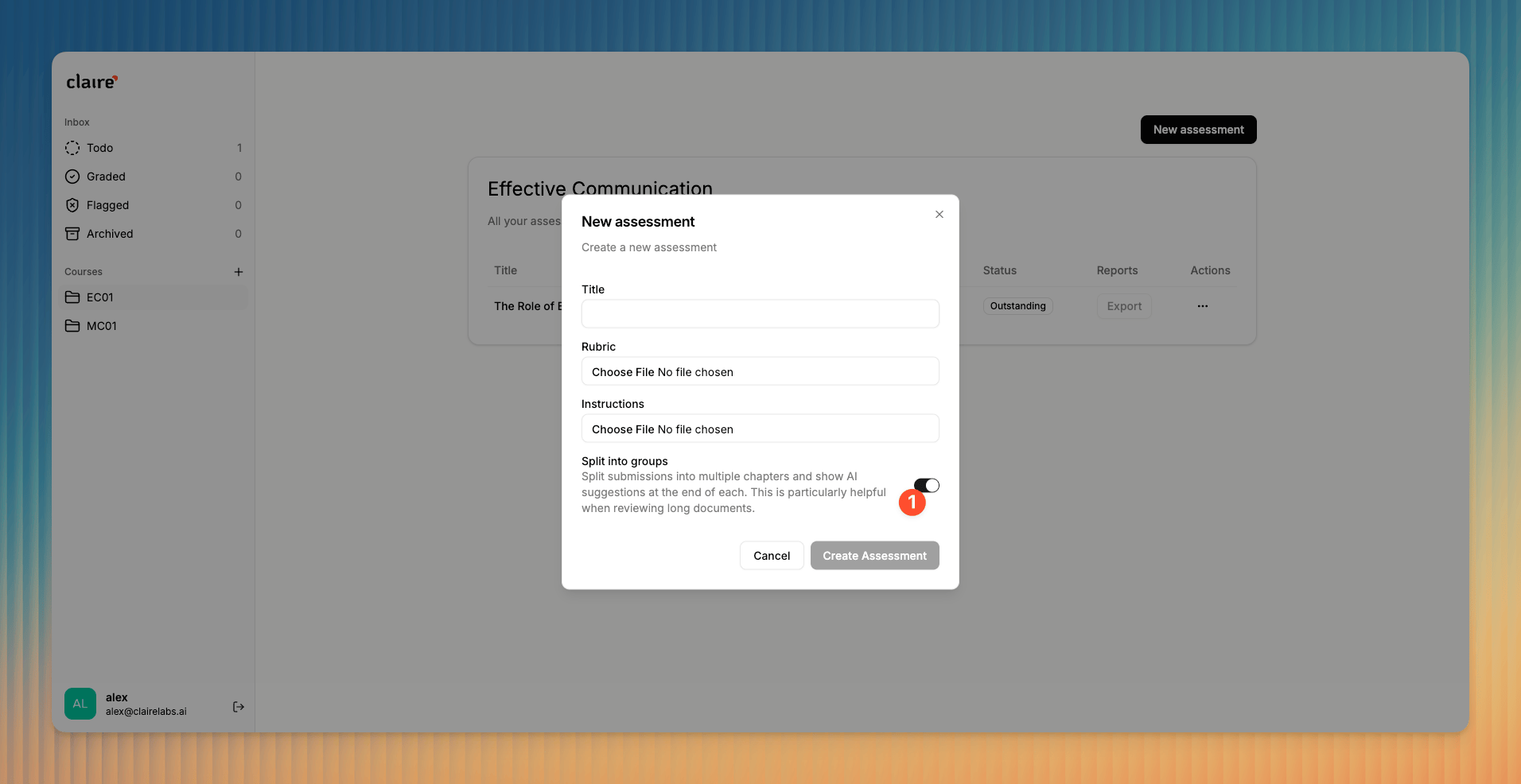
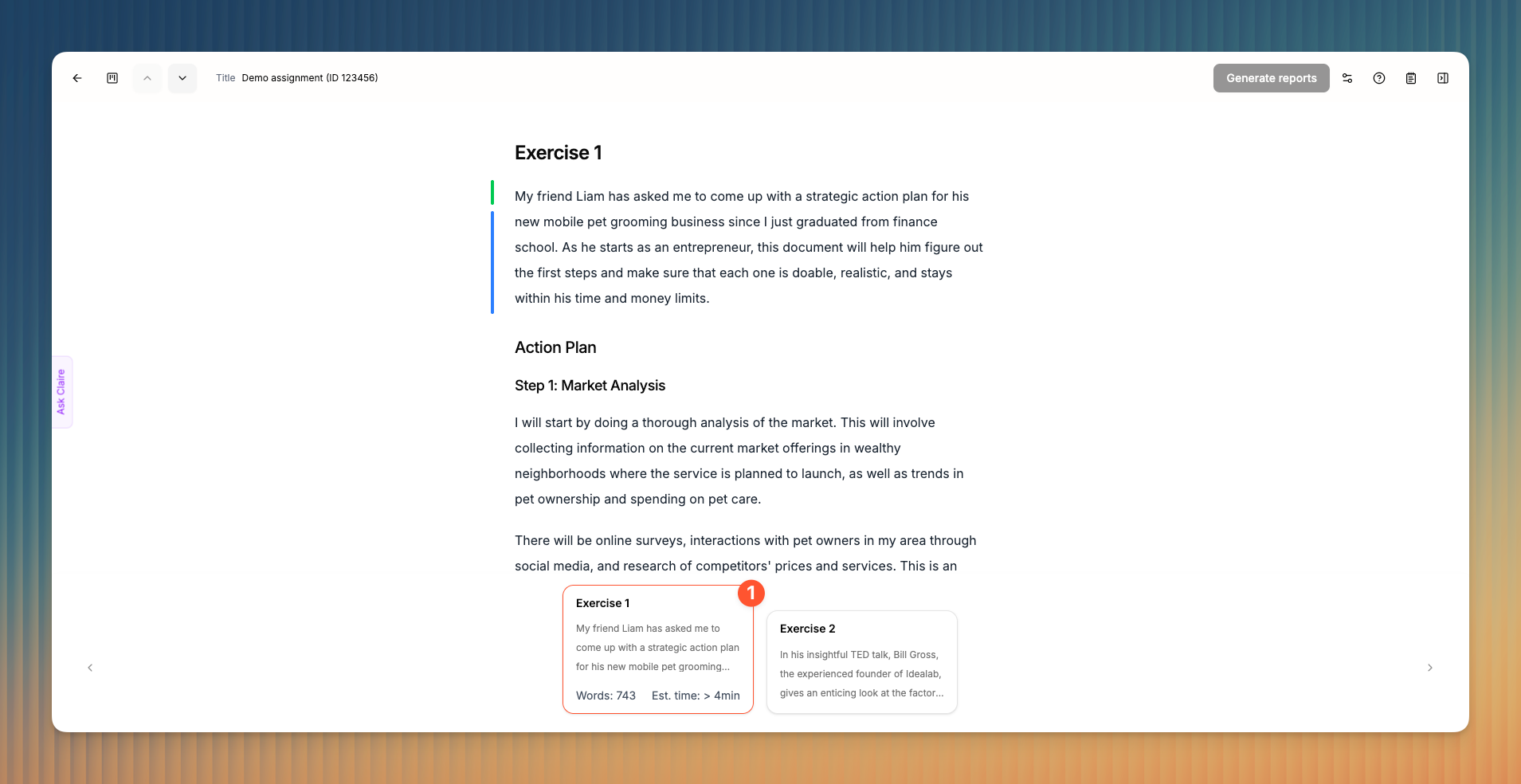
When you create a new assessment, you’re given the option to split all related submissions into groups 1. If enabled, Claire divides a submission into multiple group (sections or chapters) based on either table of content, exercises or tasks.
If a submission contains various exercise headings (e.g. Task 1, Task 2), Claire groups the submission accordingly. If it contains a table of content, Claire uses H2 headings for grouping.
Was this helpful?
Still need help? Ask the team