Student feedback reports
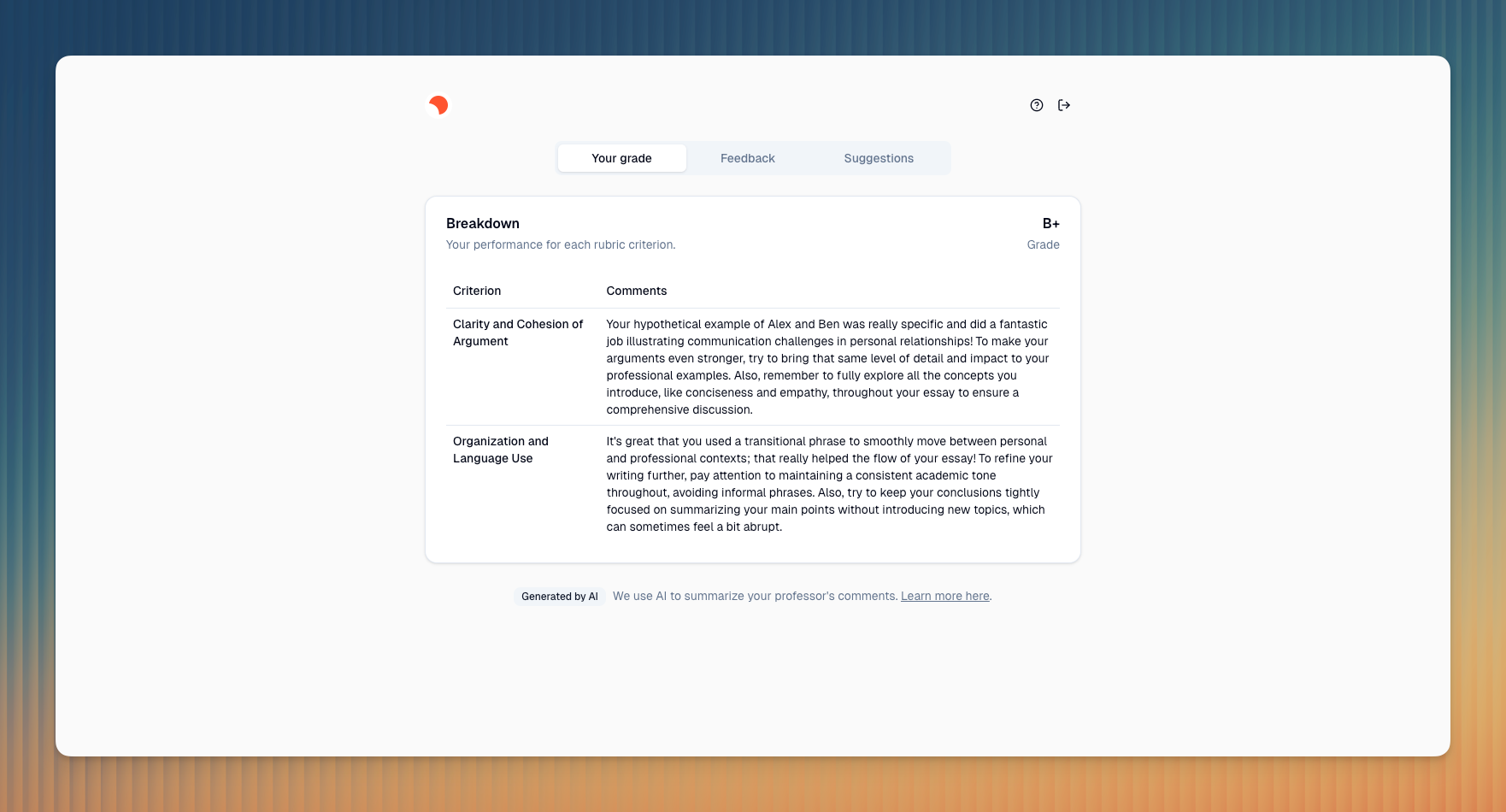
Learn how feedback reports are structured and what content they consist of.
Last updated About 1 year ago
We need your feedback 🫰🏼
This version reflects our first iteration. We’d love to learn more about your feedback preferences to further improve the user experience and design of the feedback report. Please, share your feedback and ideas with us at https://clairelabs.featurebase.app/.
When you publish your feedback, we create a personalized feedback report that is published on a dedicated, secure domain to make it easy for you to share your feedback.
To read our student-facing disclosure, visit our website or Students disclosure: How your instructor uses AI to create your report.
Access feedback reports
Your student can access the report via a secure URL, where they will be prompted to input their personal access code, which you can copy from the reports page in Claire.
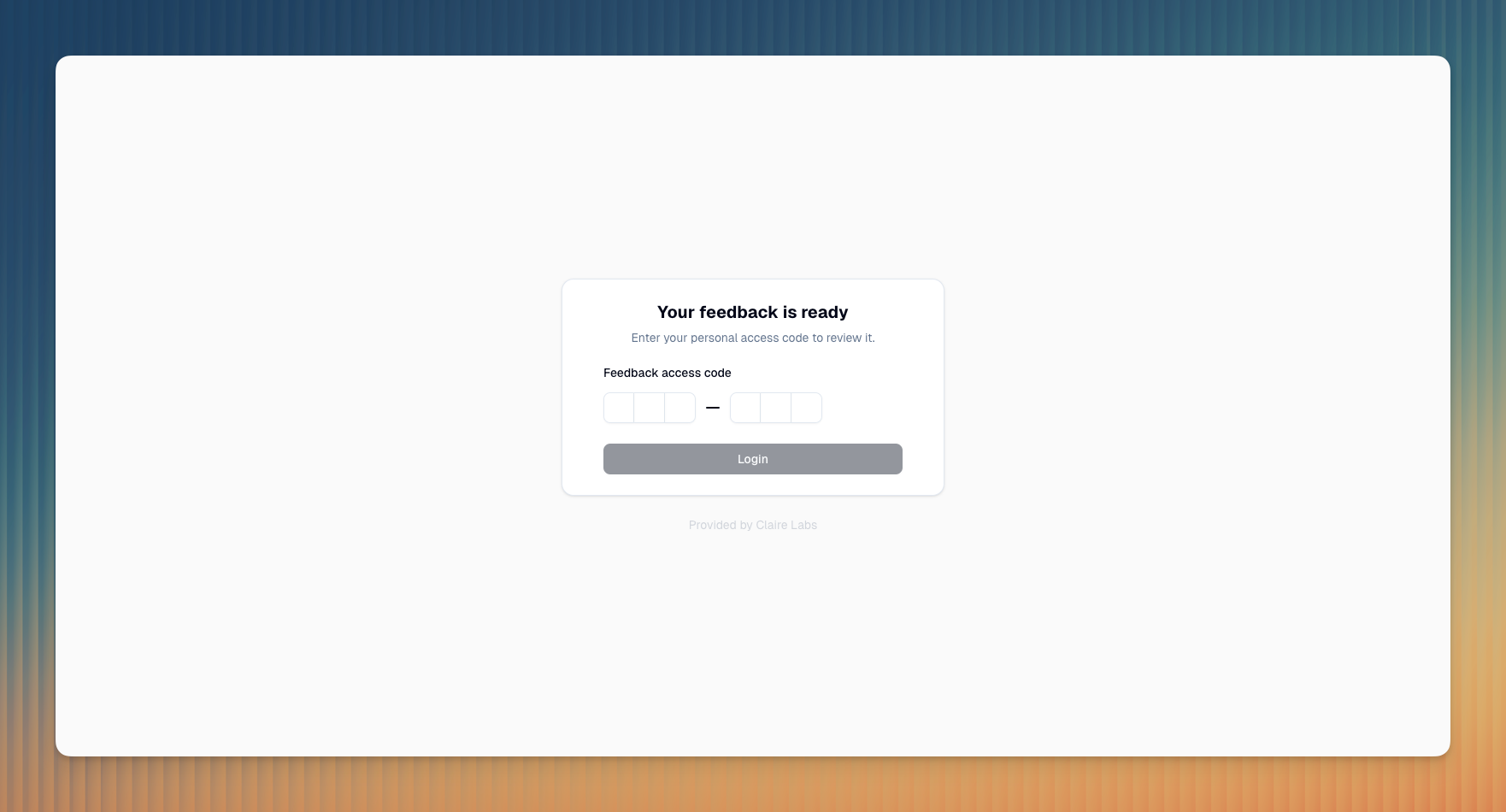
You can learn more about how to generate the URL and access code here Generate feedback.
Report structure
Feedback reports consist of three distinct sections:
Rubric breakdown
1: An AI summary of your grading remarks, grouped by rubric criteria.Written feedback
2: The written feedback you wrote based on Claire’s initial draft.Suggestions
3: AI-generated reading suggestions based on your feedback.Grade
4: The final grade you assigned to the submission.AI hint
5: More information about how AI was involved in creating the feedback.

General feedback
Whenever you click the Generate report button in the reading or rubric view, our AI synthesizes all of your notes (both comments and grading remarks and their respective sentiments) and generates a personalized feedback draft aimed at your student.
Your notes are the exclusive source for the feedback, which prevents Claire from generating generic feedback. This ensures that Claire’s output remains limited to your own observations rather than inferring and, as such, prevents hallucinations and other non-deterministic attributes of generative AI. More about notes here: Annotate submissions.
Rubric breakdown
Claire carefully reviews your grading remarks for each distinct rubric criterion and generates a short, concise summary that gives the student a quick overview of their performance for that specific criterion 1.
Handling missing feedback
If you didn't provide any specific grading remarks for a criterion, instead of trying to guess or leaving it blank, Claire will insert a placeholder: "No comments are available for this criterion." and "If you have specific questions, please contact your professor directly." This ensures consistency and clarity even when no direct feedback was given.
Suggestions
Claire distills your feedback to identify the most critical academic skill a student needs to develop or improve.
Claire then conducts a targeted "how-to" search, such as "How to use evidence in academic writing", to identify resources that are practical and directly address the specific skill gap.
Claire rigorously evaluates search results to ensure top-quality, accessible resources:
100% Free: No hidden costs or sign-ups
Easy to understand: Clear, concise content for students
Highly relevant: Precisely focused on specific skills
Credible: Prioritizing reputable platforms
Claire selects the top 2-3 resources, extracting their URLs and titles, and provides a concise description for each link. Claire then explains how it specifically supports skill improvement, presenting the information as a structured learning guide.
