The universal inbox
A universal inbox for all student submissions that require your attention.
Last updated About 1 year ago
On our roadmap 👍🏼
We’re working towards integrations with common LMS providers (e.g., Moodle) to deliver student submissions directly to your inbox once they’re submitted via your faculty's LMS.
Stay in the loop by following our latest post here: Moodle integration.
When you sign up or log into Claire, the inbox is the first thing you see. It gives you an overview of all the student submissions you have received and their respective status:
Todo:Submissions that are due for grading.Graded:Graded submissions for which feedback has been shared.Flagged:Submissions that require further attention or have been escalated.Archived:Submissions that have been archived.

Submission status
When you receive a submission (or upload one yourself), its status will be set as Todo. The system automatically changes the status of a submission to Graded when you click the Publish feedback button on the report page (see Generate feedback) to share feedback with a student. Note that you’re unable to manually mark a submission as Graded.
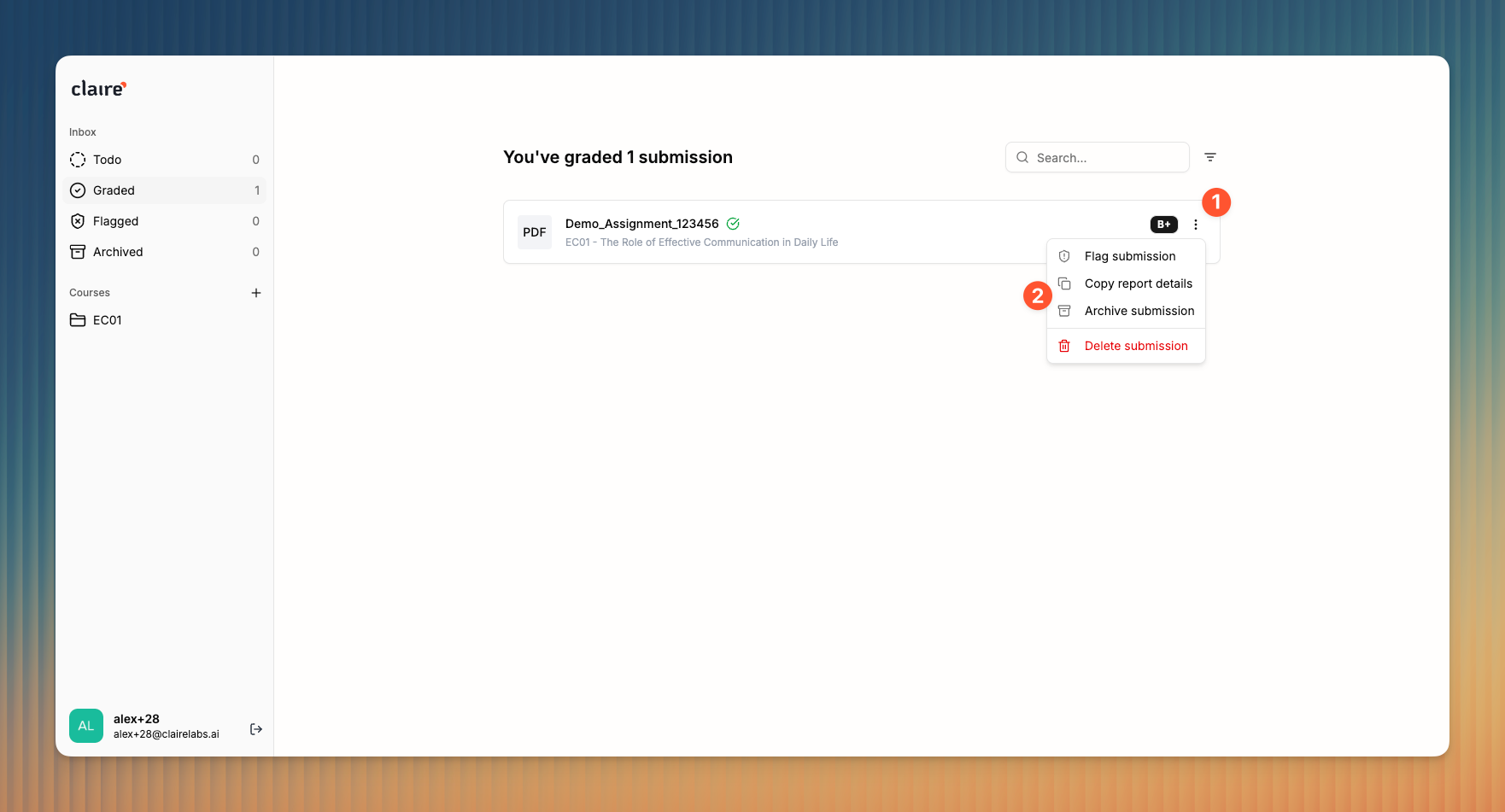
The Flagged status is meant for submissions that need further investigation or escalation, e.g., submissions that have violated your GenAI usage policies etc. You can manually flag submissions by clicking the dots icon 1 and selecting Flag submission from the dropdown menu 2.
Uploading submissions manually
When you upload submissions manually, we extract the student ID from the file title to make batch upload convenient for you. Make sure that each of the files you upload include an ID.
Examples
14972844 My Assignment.PDF , My Exam (ID 12345678).PDF , 12345678 Title of Exam