The reference panel
The reference panel is a side panel with dynamic information to support your review process.
Last updated About 1 year ago
The reference panel is a dynamic side panel 1 that contains various information to support you in your review and grading process, such as:
A table of content
References
My notes
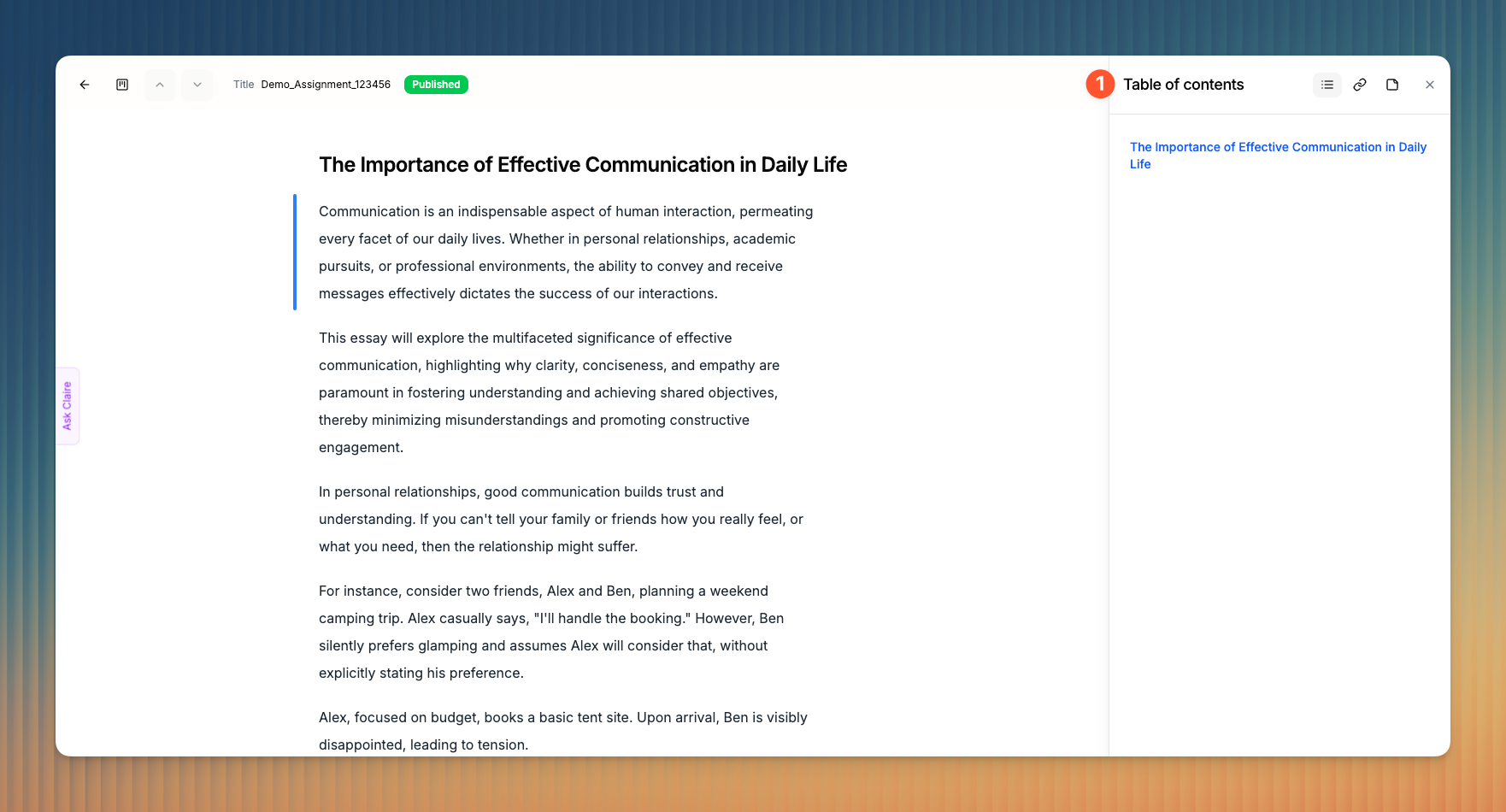
Table of content
The table of content or TOC contains a bird’s eye view of the document’s structure and allows you to quickly navigate between sections. You’ll find the current section highlighted in blue.
References
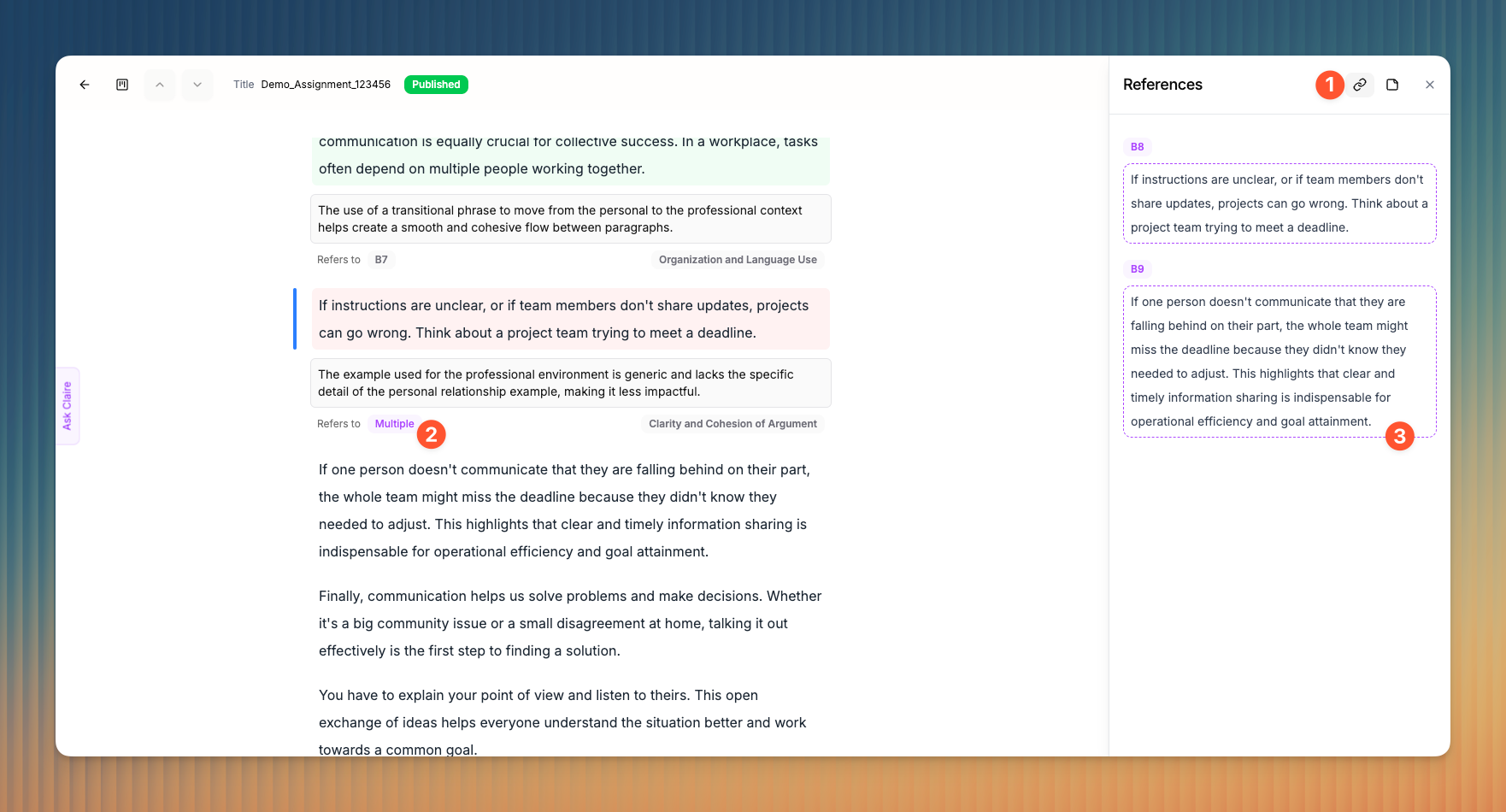
The References panel 1 is an important part of Claire, as they provide full transparency into how the AI reasons and the specific Blocks her suggestions are based on.
Each note (Comment or Grading remark) is linked to one or multiple Blocks 2. This ensures that you can always trace suggestions (as well as your own annotations) back to their source.
The References panel dynamically shows you the source Blocks 3 of each annotation as soon as you focus on it. To know which Block your focus is set to, check the Focus Bar.
Good to know 👋🏼
You can click on a source Block in the References panel and it will take you directly to the original Block. This is particularly helpful when you view a submission in the rubric view.
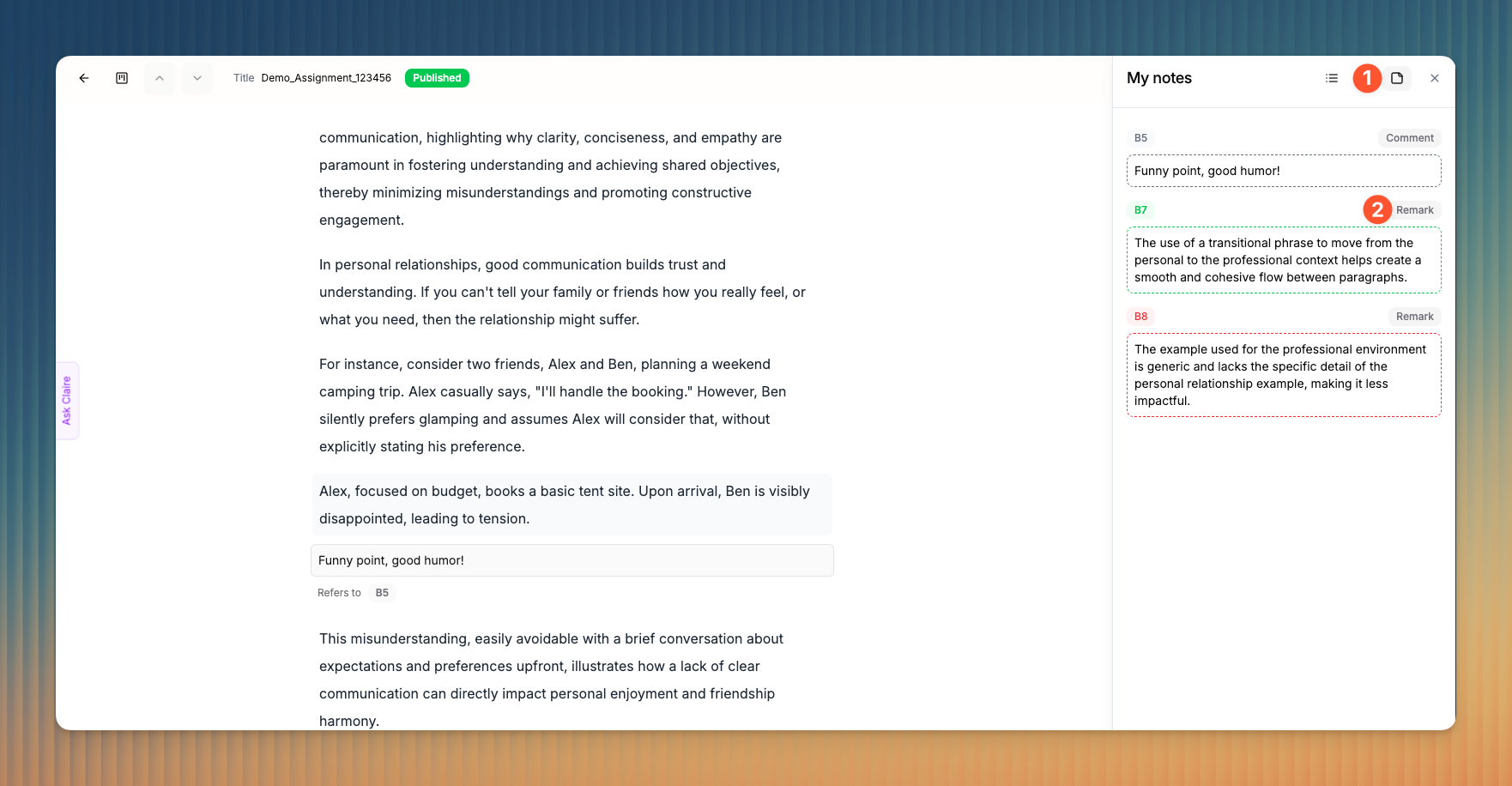
My notes
In the My notes section of the references panel 1, you can find all of your comments and grading remarks sorted by their occurrence in the text. This gives you an overview of all your notes. If you’re only interested in the Grading remarks, we recommend the The rubric view.