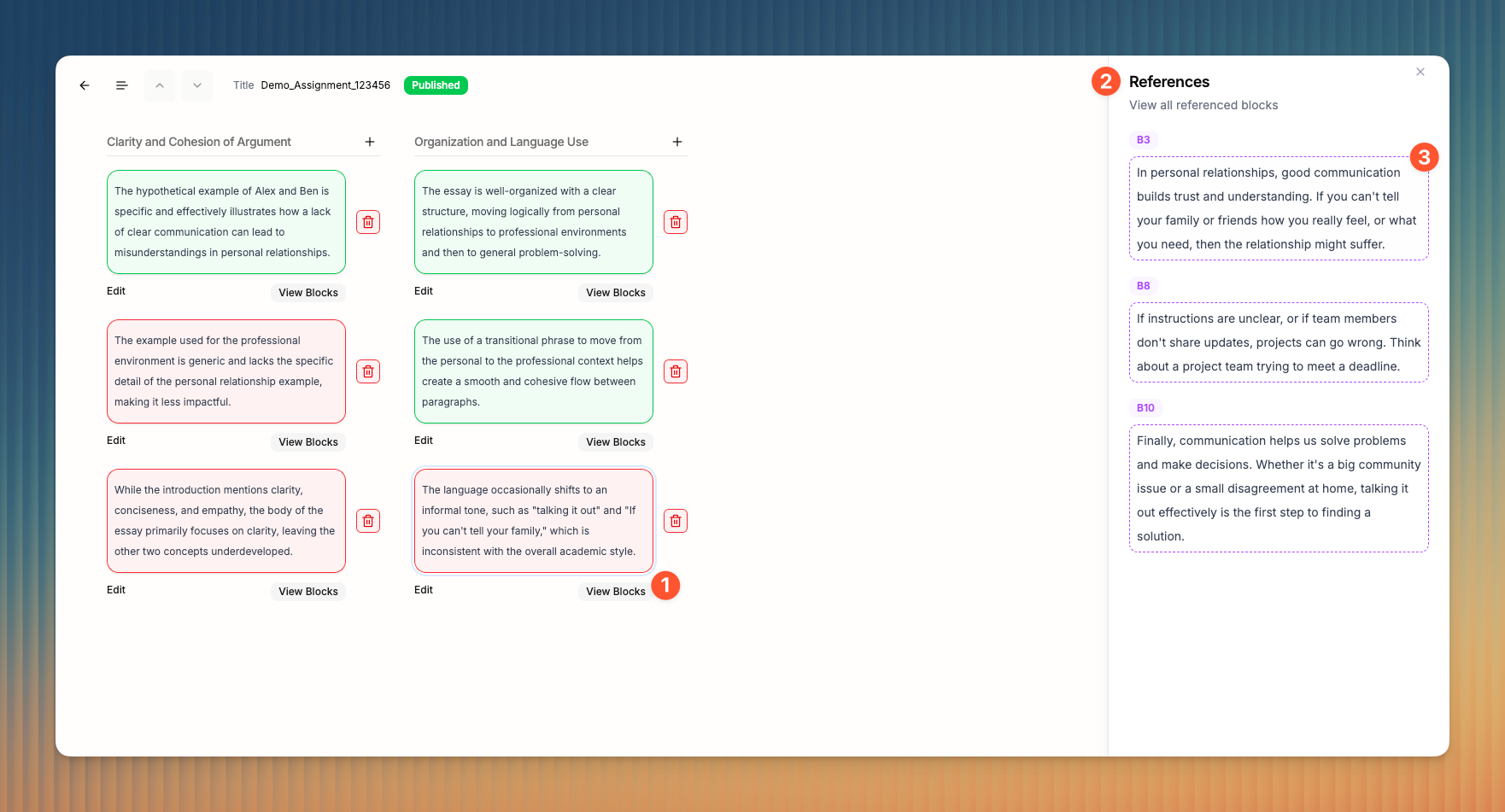
The rubric view
The rubric view shows all AI suggestions and grading remarks grouped by rubric criteria.
Last updated About 1 year ago
Access the rubric view
You can switch views from reading mode to rubric view by clicking the view icon 1 in the top navigation bar.

This will open the rubric view, which enables you to take any of the following actions:
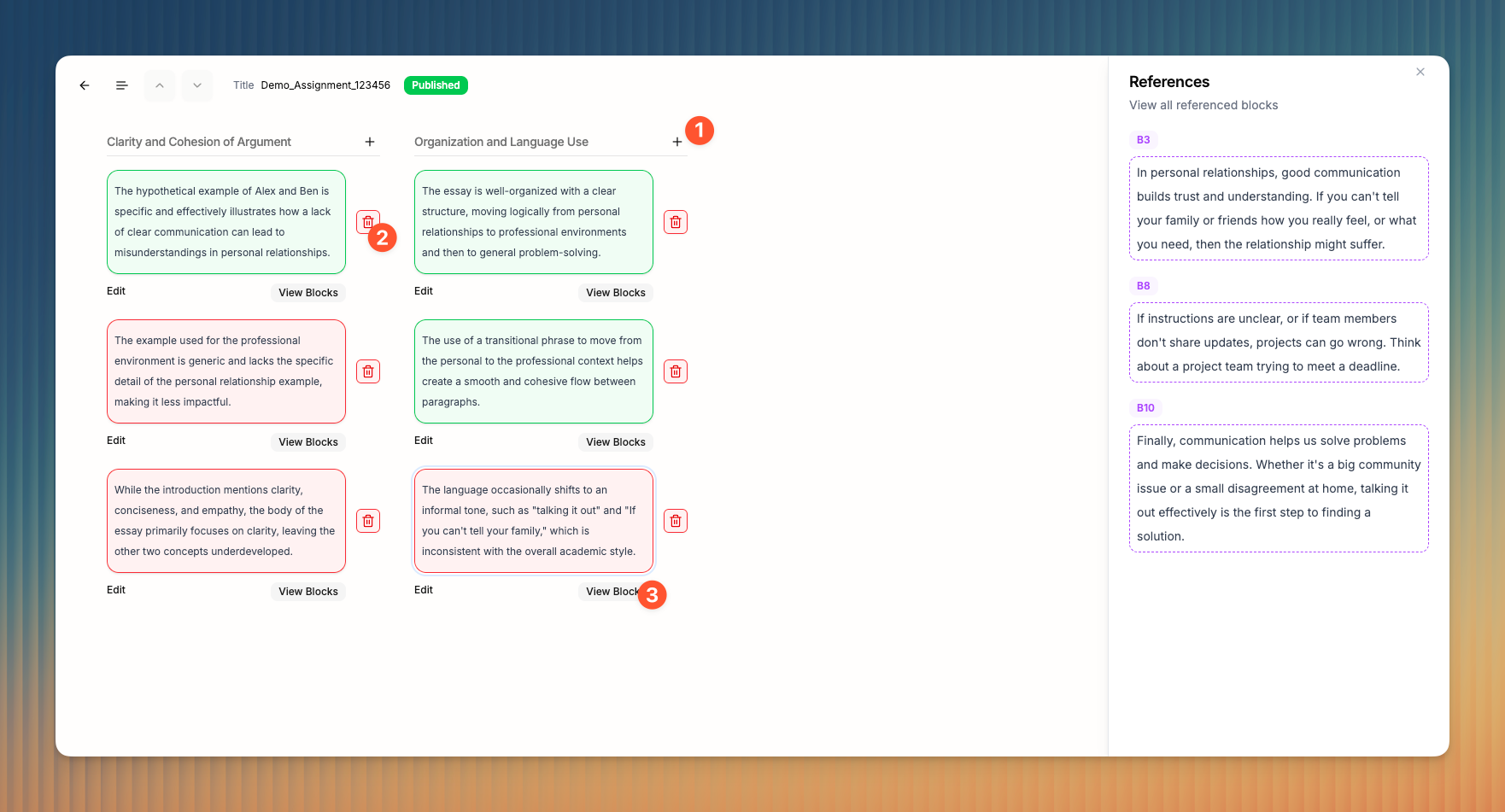
Manually add grading remarks
1Approve (or dismiss) AI suggestions
2View all Blocks an AI suggestion is referencing
3
View references
Click the View Blocks button 1 below an AI suggestion to view its references. This will show the References panel 2 which shows all Blocks a particular suggestion is based on. You can click on any of the Blocks 3 to view it and its context in the reading mode.